RetroArch and libretro: one frontend, every console
RetroArch turns dozens of emulators into plug-in cores for one frontend: one menu, one set of settings, and tricks like run-ahead that remove lag the original hardware always had.
On this page
In brief
- RetroArch is a frontend, not an emulator: each system runs as a libretro core, a dynamic library that plugs into one interface.
- The project lists more than 200 cores, from NES and SNES to PlayStation, arcade, and DOS, all under one menu and one settings file.
- Run-ahead removes lag the original hardware always had, by simulating frames ahead with save states held in memory.
- Netplay is peer-to-peer and rollback-based for up to 16 players, but everyone needs the same RetroArch version, core, and game file.
- RetroArch ships no games. The current release is 1.22.2, free under the GPLv3, on PC, consoles, phones, and the web.
Every console you loved has its own emulator, and every emulator has its own menu, its own settings, its own quirks. The SNES emulator keeps saves one way, the PlayStation one another, and the arcade one somewhere you will never find again. RetroArch is the answer to that sprawl: one frontend, and every emulator becomes a plug-in that snaps into it. It began in 2010 as SSNES, took its current name in 2012, and the latest release is 1.22.2, from November 2025. It is free, open source under the GPLv3, and it runs on hardware from a PlayStation 2 to a web browser.
The core idea
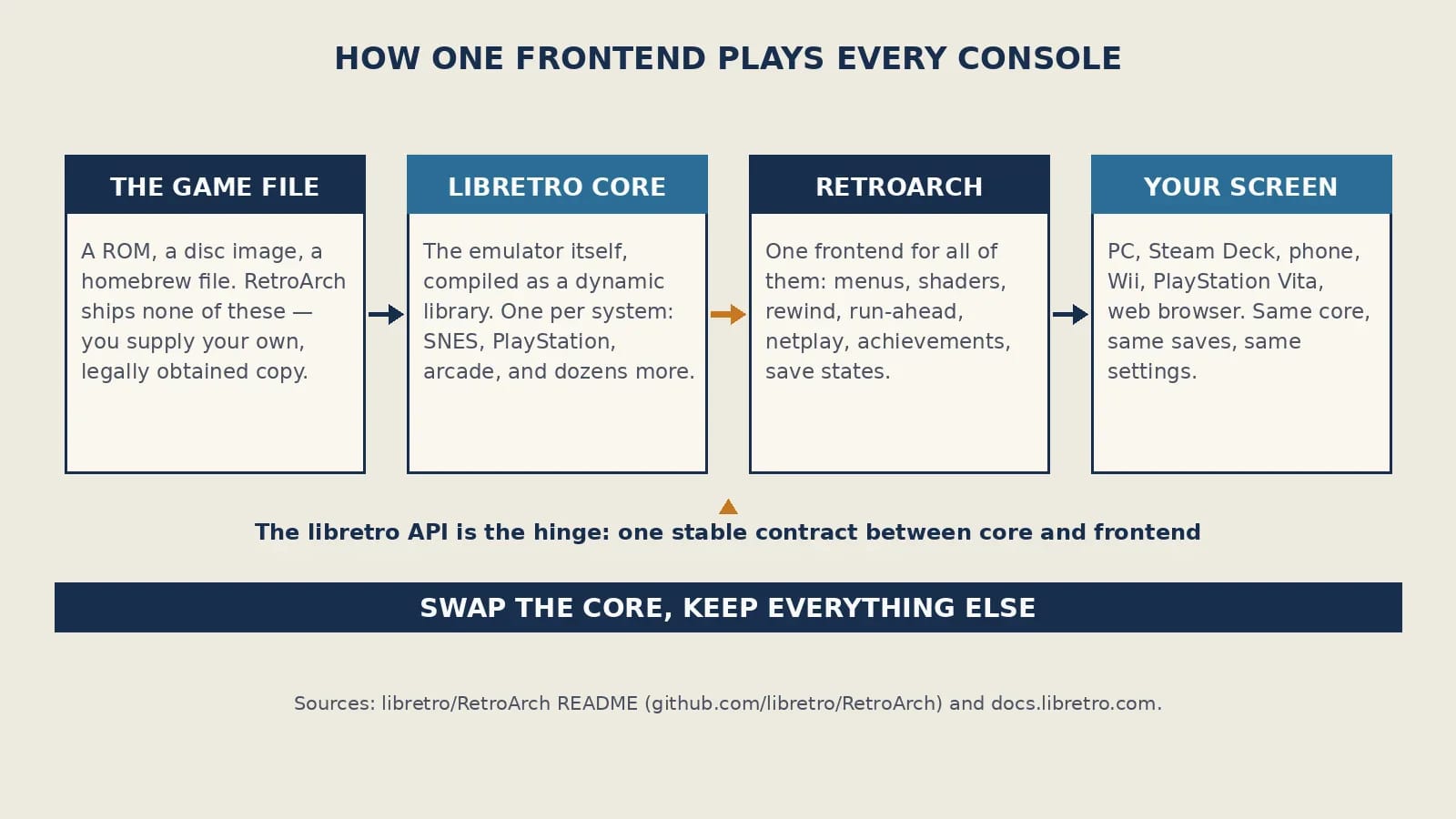
RetroArch is not an emulator. It is the reference frontend for the libretro API, and an emulator is a core: a dynamic library that implements one system and plugs into the frontend. The API is the contract between the two. A core exposes audio, video, and input callbacks; RetroArch handles video output, audio output, input, and the application lifecycle. That split is the design. Write a core once, in portable C or C++, and it runs on every platform the frontend reaches, with almost no porting effort.
The project's site lists more than 200 cores. The count is the project's own, and it keeps growing: NES, SNES, Game Boy, Mega Drive, PlayStation, arcade boards, DOS, and dozens of stranger systems, from the Vectrex to the PC-98. Some cores are the well-known emulators under new names, like Snes9x and Mesen. Others are game engines and media players, since anything that fits the API can be a core.
What one frontend buys you
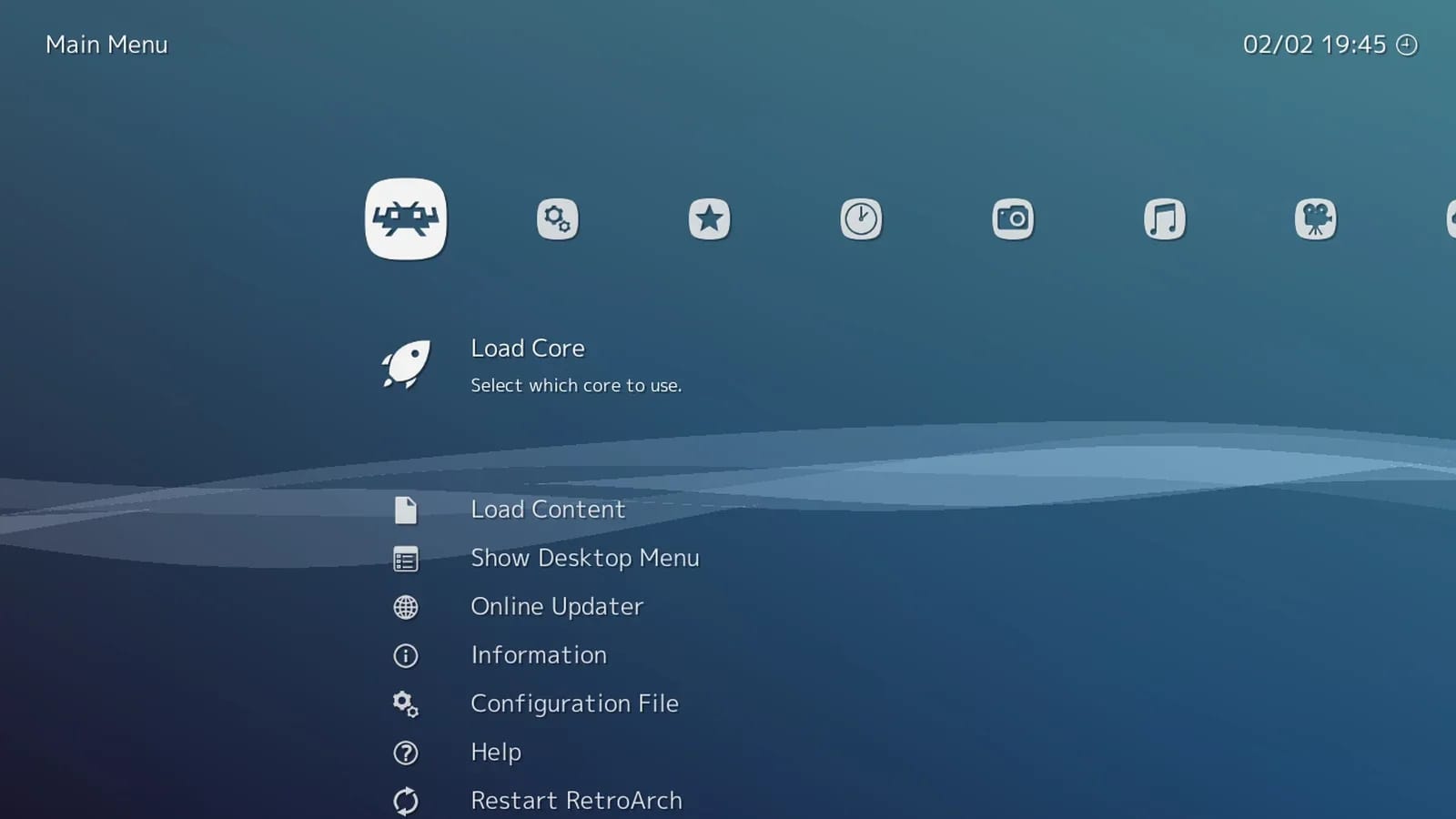
The first payoff is the menu. RetroArch ships four of them, and you pick the one that fits the device: XMB, the gamepad-first interface in the image above; Ozone, the default on desktop; RGUI, a plain text menu for weak hardware; and GLUI, built for touchscreens. Settings are unified, so configuration is done once and applies to every core, instead of once per emulator.
The second payoff is the shader pipeline. Shaders are small GPU programs that run after the core renders a frame, in as many passes as you want. The usual reason to load one is a CRT: curvature, scanlines, phosphor glow, NTSC artifacts, the look of the television the game was designed for. Presets can be saved globally, per core, per folder, or per game, and the project bundles community presets you can update from inside the app.
Then there is the set of tricks that no original console ever had. Rewind steps gameplay backwards frame by frame. Save states freeze a game at any instant. Run-ahead attacks the lag every old game carries: most games take two or three frames from a button press to a visible reaction, and run-ahead simulates those frames in advance, using save states held in memory, so the reaction lands sooner. It needs a core with fast save states and a CPU with headroom to spare, and it comes in two modes, single-instance and two-instance, because some cores leave audio in a bad state after a load. Ars Technica's Kyle Orland called run-ahead "arguably the biggest improvement to the experience the retro gaming community has yet seen."
Netplay works the same way, by rewinding. It is peer-to-peer and rollback-based: both players run the game locally, inputs travel with frame numbers attached, and when a remote input arrives late RetroArch rewinds to a save state and replays with the correct one. Up to 16 players and spectators can join, and the documentation's rule is blunt: same RetroArch version, same core version, and the same exact game file. It is not link-cable play, and the heavy systems, PlayStation, Nintendo 64, Dreamcast, GameCube, Wii, and 3DS, are out of reach for it on performance grounds.
The smaller features add up. RetroAchievements hooks the service of the same name into old games, so a 1994 platformer can hand out trophies. The AI service grabs the screen, sends it to an endpoint you configure, and reads the result back as translated subtitles, spoken text, or an overlaid image, which is how a Japanese-only game becomes readable mid-play. Playlists are built by scanning a folder and matching file hashes against the libretro database, so a pile of files becomes a categorized library with box art. Recording goes through FFmpeg, built in.
The honest limits
RetroArch ships no games. The legal way to fill it is with copies made from media you own, and the project does not help you find anything else. That is the first thing to understand before installing it, because the download gives you a menu with nothing to play.
The second limit is the one the project is most often criticized for: it is hard to configure. The same breadth that makes it powerful makes the settings maze deep, and the first hour with it is setup, not play. Reviews have praised the feature set and complained about the learning curve in the same breath, and both halves are fair.
The third limit is per core. Not every core supports every feature. Run-ahead and netplay both depend on save states, so a core without clean, fast save states gets neither. A demanding core on weak hardware will stutter where a lighter one flies. The frontend is one thing; the cores are dozens of separate projects with their own quirks, and RetroArch inherits all of them.
How to start
Download it from retroarch.com, from Steam, where it has been free since September 2021, from the App Store, where it returned in May 2024 after three years away, or from the project's buildbot, which hosts the latest builds. Then open the Online Updater and download cores. Start with one system, not ten: SNES through Snes9x, or NES through Mesen, and learn the menu on a game you already know.
On a Steam Deck it installs from Steam like any other app. Bazzite, the Fedora-based image that rebuilds the Deck experience for other hardware, even offers EmuDeck and RetroDECK at install time, two frontends built around RetroArch itself. There is also Lakka, a whole Linux distribution that turns a small computer into a dedicated RetroArch box.
Sixteen years in, what has lasted is the contract. Consoles die, their hardware fails, and their emulators get rewritten, but a core written to the libretro API keeps running on whatever the frontend reaches next. Pick one system, load one core, and the shelf of emulators collapses into a single menu.