MAME: the emulator that treats playing as a side effect
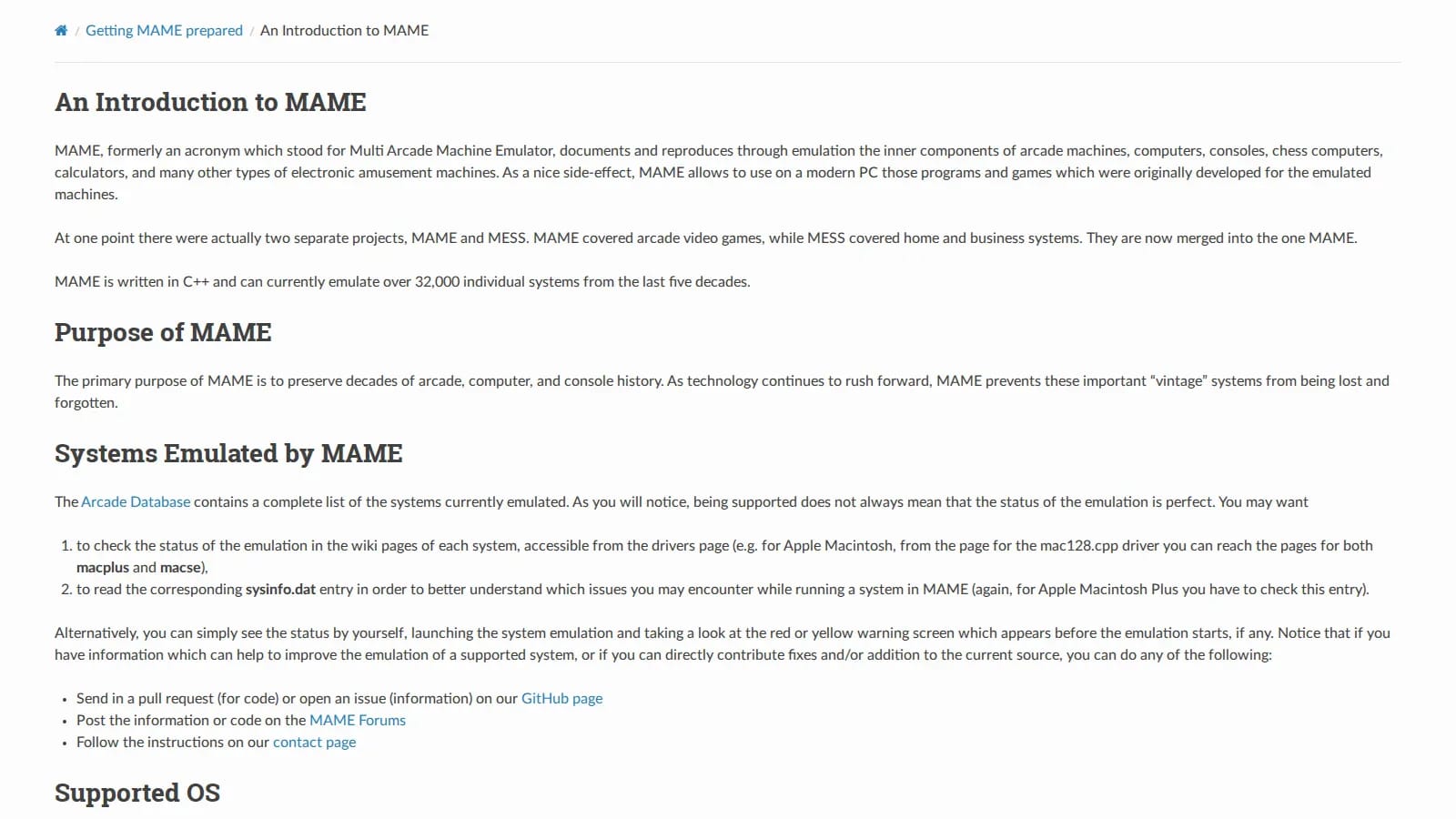
MAME documents more than 32,000 arcade machines, consoles, and computers as source code, so the hardware survives after the boards die. Playing the games is, by the project's own account, a side effect.
On this page
In brief
- MAME documents more than 32,000 vintage systems as source code, and treats the running game as the proof the documentation is right.
- The project began in 1997 preserving Pac-Man machines and absorbed the MESS console and computer emulator in 2015.
- Accuracy comes before speed: MAME refuses shortcuts that trade fidelity for performance, and some systems still will not run at full speed on any PC.
- MAME ships no games. You need your own dumps of the original hardware, and not every system is fully playable.
- The monthly release cadence ended in April 2026; the latest release is 0.289, from July 30.
The arcade boards are dying. Capacitors leak, solder joints crack, and the custom chips inside 1980s cabinets were never documented in the first place. MAME has spent nearly 30 years answering that decay with an unusual idea: write the hardware down, in code, so the machine outlives its own body. The project now documents more than 32,000 arcade machines, computers, consoles, chess computers, and calculators as source code. Playing the games is, by the project's own account, a side effect.
The document is the program
MAME is not, at heart, a way to play old games. It is a documentation project that happens to run them. The README on GitHub states the idea plainly: "MAME is a multi-purpose emulation framework. MAME's purpose is to preserve decades of software history. As electronic technology continues to rush forward, MAME prevents this important 'vintage' software from being lost and forgotten. This is achieved by documenting the hardware and how it functions. The source code to MAME serves as this documentation. The fact that the software is usable serves primarily to validate the accuracy of the documentation (how else can you prove that you have recreated the hardware faithfully?)."
That last sentence is the project in miniature. A former coordinator, Aaron Giles, said the same thing at California Extreme in 2008: "We want to document the hardware... The best proof that your documentation is right is 'does this code work'."
MAME began in 1997, when Italian programmer Nicola Salmoria released the first public version on February 5 to preserve the Pac-Man family of games. It started as Multi-Pac, grew past one game family, and took the name Multiple Arcade Machine Emulator. In 2015 it absorbed MESS, the sister project that covered home and business computers and consoles, and the acronym quietly stopped being the point: MAME now documents far more than arcade machines. The repository on GitHub is public, with 10,757 stars and 102,194 commits, and the project is licensed GPL-2.0-or-later overall, with more than 90 percent of its source files under the BSD-3-Clause license.
How a dead machine becomes a document
A machine enters MAME through four steps. First the hardware itself, usually a board pulled from a cabinet that may already be failing. Then the dump: the contents of its ROM chips, programmable logic, and sound data are read out and stored as files. Then the driver, a C++ description of each chip and how the parts talk to each other. Then the game runs, and a working game is the proof the driver describes the hardware correctly.
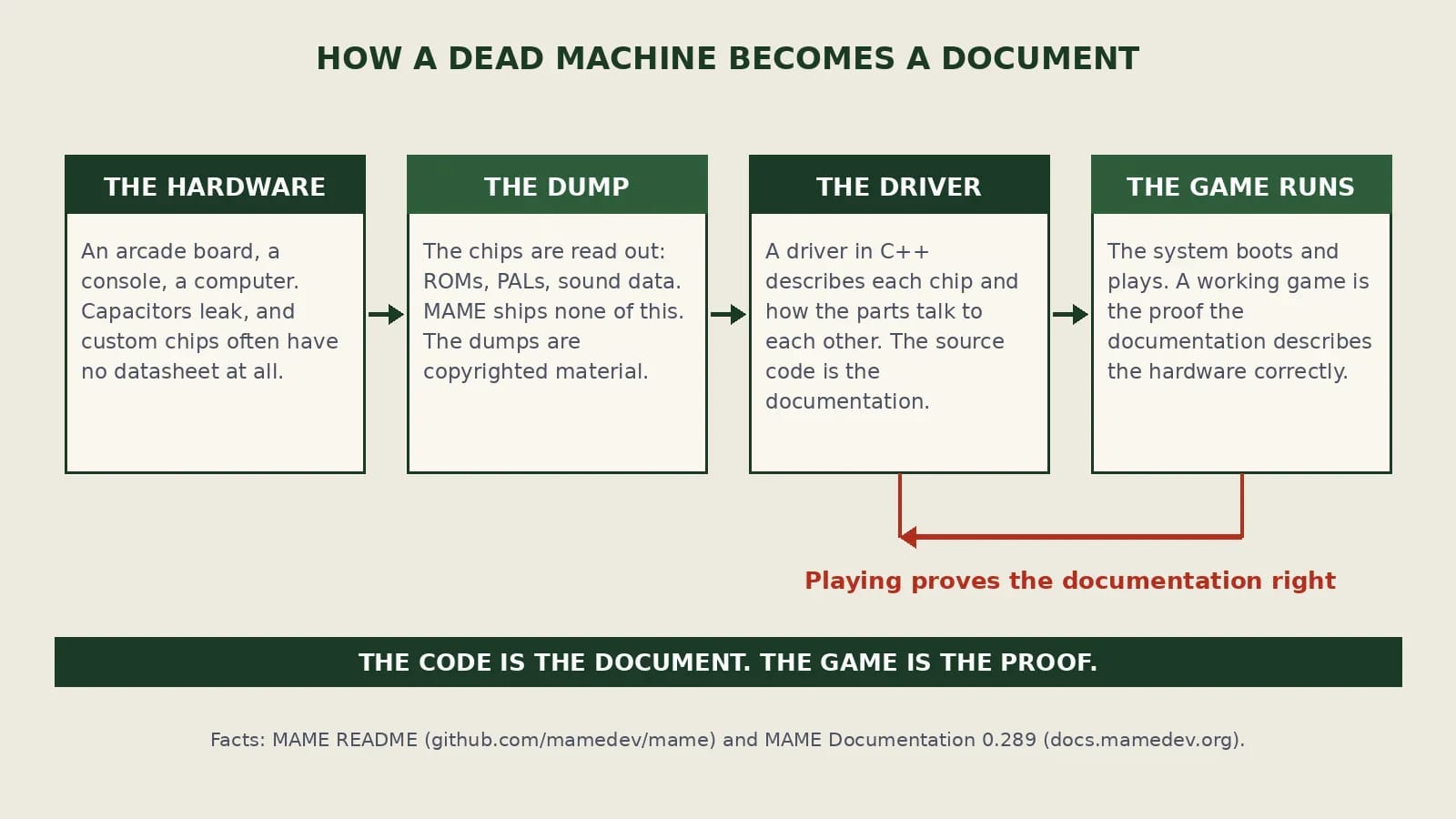
The work is often harder than that sequence suggests. A driver is written as a set of macros naming the individual components and how they communicate, and some of those components were never documented by their manufacturers. The monster behavior in Bubble Bobble, for example, was not perfected until the code and data inside the game's custom microcontroller were recovered by removing the chip's casing and reading the silicon directly, a process called decapping. That is the level of effort the documentation standard demands: if the chip will not explain itself, the project opens it up.
Games arrive as ROM sets, with parent sets and clone sets for regional and revised versions, and hard disks, compact discs, and LaserDiscs use MAME's own CHD (Compressed Hunks of Data) format. The project also keeps its own tools for the job: chdman manages CHD files, and imgtool, castool, and floptool handle the disk, cassette, and floppy images that computers and consoles need.
Accuracy before speed
The documentation standard has a cost, and MAME pays it openly. The project refuses programming shortcuts that would make a game run faster at the cost of accuracy, and high-level emulation is used only when a chip is completely undocumented and cannot be reverse-engineered in detail. The documentation is blunt about the result: even on the fastest computers available, MAME is still incapable of playing some systems at full speed. The goal, the docs say, is to document the hardware and reproduce its behavior as faithfully as possible, not to make everything run fast.
Supported does not mean perfect, either. MAME warns you itself: a red or yellow screen appears before emulation starts when a system's status is incomplete, and the docs suggest checking the wiki page for that system's driver or the sysinfo.dat entry before assuming it works.
Preservation also has legal edges. In December 2021, exA-Arcadia, the Western rights holder for the games Akai Katana and DoDonPachi SaiDaiOuJou, sent the project a cease-and-desist notice over those games being included. MAME complied the next day, and both games have been unplayable outside the command line since version 0.240. Documenting hardware and distributing the right to play a game are different things, and MAME draws the line where the rights holder does.
What changed in 2026
For most of its life MAME shipped a new release almost every month. That ended in April 2026, when the team announced that there would no longer be a release nearly every month, alongside new requirements: Windows 10 or later for the official binaries, a move from C++17 to C++20, Qt 6 instead of Qt 5 for the debugger, and the removal of the 32-bit x86 recompiler backend, OpenSolaris build support, PowerPC host optimisations, and the obsolete aueffectutil tool for macOS.
The releases since bear that out. Version 0.288 arrived on May 28, 2026, and 0.289 followed on July 30. Nothing has followed since, nearly four months on, and the Windows x64 build of 0.289 alone has been downloaded more than 250,000 times. The project is still active: the repository keeps moving, but the monthly drumbeat is gone.
Six days before that April announcement, the team posted something stranger on the project's homepage: a phased migration of the whole codebase to Rust, with mandatory AI-assisted code review for every pull request. The team has since confirmed it was an April Fool's gag, and the post still sits on the homepage, which is why a careless reader could report a Rust migration that is not happening. The April 7 post about requirements and release cadence is the announcement that matters.
How to start
Download MAME from mamedev.org or from the project's GitHub releases, for Windows, Linux, macOS, or FreeBSD. The documented minimum is an x86-64v2 or ARMv8.2-A processor, 64-bit Windows 10 or later for the official binaries, and 4 GB of memory.
Understand first what the download does not contain: no games. MAME ships no software to run, because the dumps are copyrighted material. The route the docs describe is extracting the data from an original unit, and anything else is at your own risk. The team is permitted to redistribute some old software in the ROMS section of the site, and that is the exception, not the rule.
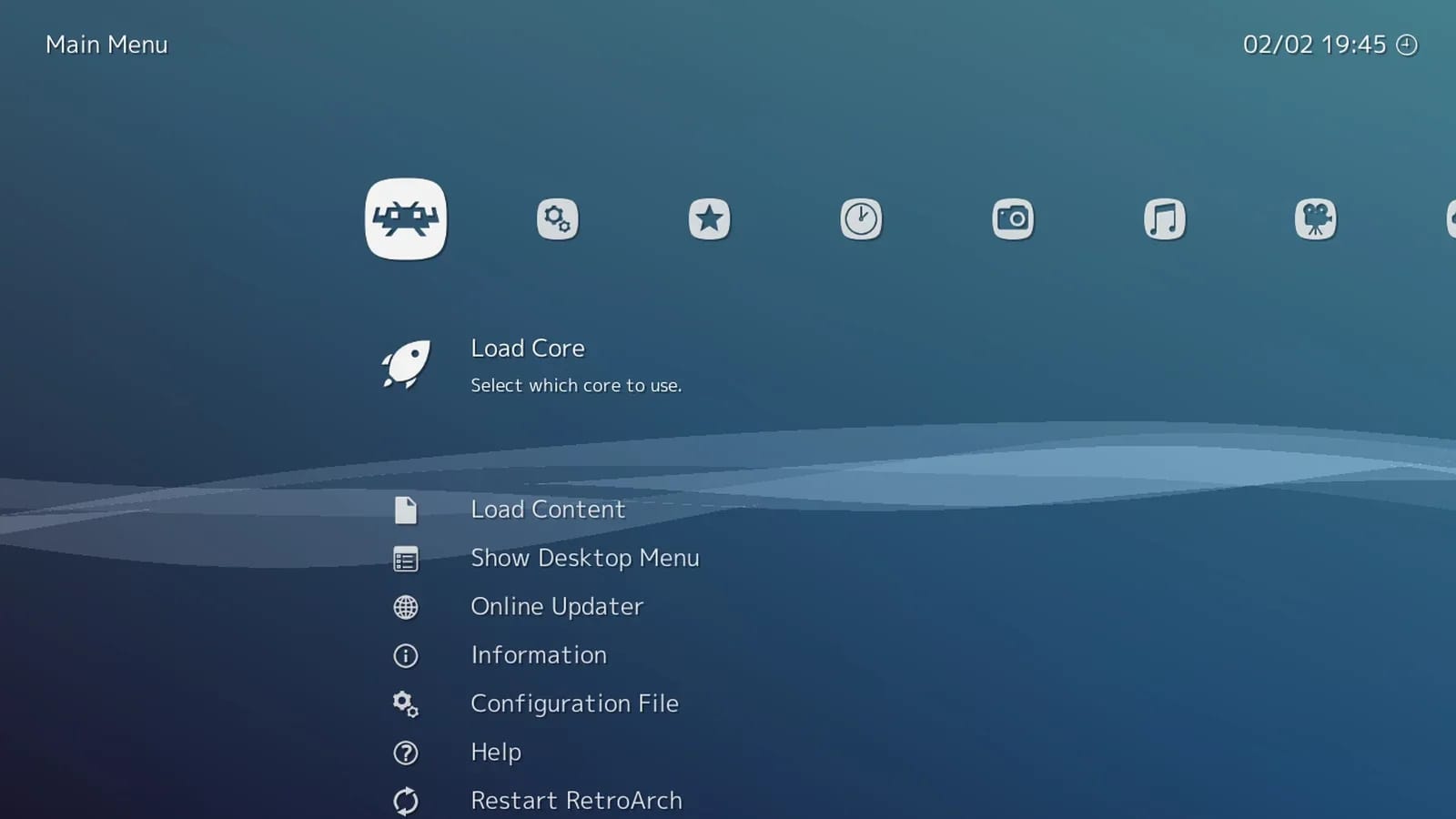
Start with one system, not 30. Check its status first, on the warning screen, in sysinfo.dat, or on the wiki page for its driver, and expect some rough edges: a supported system is not always a finished one. If the sprawl of one emulator per system is the problem instead, RetroArch takes the opposite approach: one frontend, dozens of plug-in cores.
Pick one system, check its status, and run it. The boards are not getting younger, and the documentation only exists because someone sat down and wrote it down.