DOSBox-X: the emulator that keeps the whole DOS PC alive
DOSBox-X emulates the entire pre-2000 PC — Windows 98, printers, PC-98 games and all — where DOSBox stops at the games. 15 years in, it still ships every month.
On this page
In brief
- DOSBox-X is a fork of DOSBox that emulates the pre-2000 PC, not just its games: Windows 3.x through ME, PC-98 machines, printers, and networks.
- It tests accuracy against pre-1996 demoscene software, which abuses the hardware in ways games do not, and states its limits in the README.
- The project is actively maintained with monthly releases; the current release is 2026.10.01, dated October 1, 2026.
- The scope stops at 2001 by design: CPUs through the Pentium III, no Pentium 4, no Windows Vista or later, and no cycle-accurate timing.
- It ships no games and no copy of Windows. You supply the software; the emulator supplies the machine.
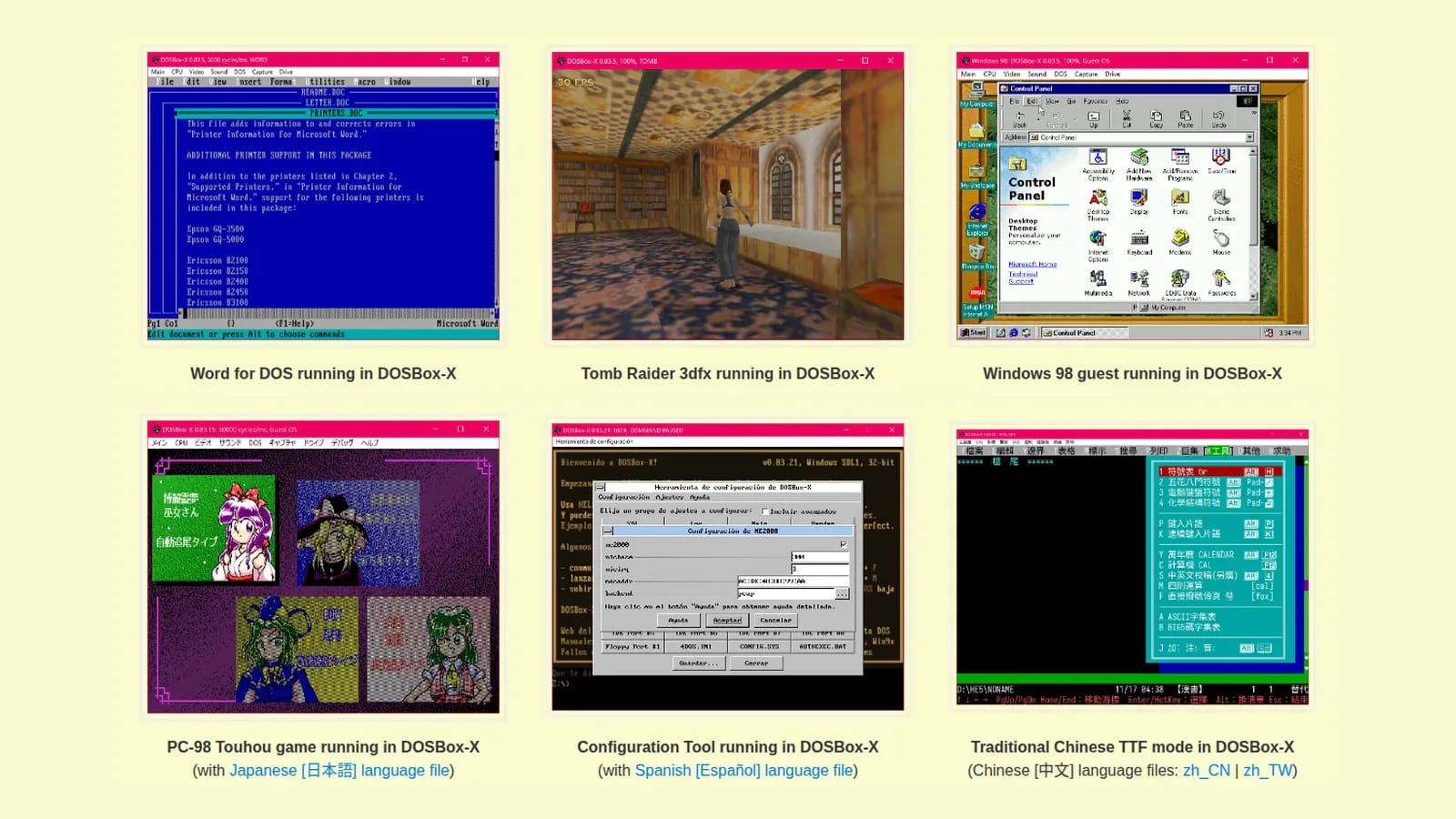
The DOSBox-X homepage does not open with a sales pitch. It opens with six screenshots: Word for DOS, Tomb Raider running on a 3dfx card, a Windows 98 desktop, a PC-98 game, the configuration tool, and a Chinese text-mode screen. Six different machines, in a sense, all running inside one program on a modern computer. That grid is the argument. DOSBox-X is not an emulator for DOS games. It is an emulator for the DOS PC, the machine itself, peripherals and all, and it has been getting more complete, month by month, for 15 years.
The fork that outgrew the game
DOSBox is a fine emulator, and its focus is games. That focus is the reason DOSBox-X exists. Its maintainer, Jonathan Campbell, wanted changes that had nothing to do with games, and the DOSBox developers were unlikely to accept them. So he forked the project in mid-2011 and started making the changes himself, out of a desire, the README says, to improve the emulator without having to fight over patches upstream.
The fork kept the games and went further. DOSBox-X is also a platform for running DOS applications, including the environments to run Windows 3.x, 95, 98, and ME, plus DOS/V and NEC PC-98 emulation for Japanese software. The README states the goal plainly: a complete emulation package covering all pre-2000 DOS and Windows 9x based system scenarios, including peripherals, motherboards, CPUs, and all manner of hardware made for PC hardware of that time.
It is still moving. The repository on GitHub is public, under the GPL-2.0, with 3,822 stars and 22,562 commits as read today, and 164 releases. Releases land monthly, typically on the first of the month. The current release, 2026.10.01, arrived October 1, 2026, and its notes read like a sound-card museum coming back to life: Sound Blaster AWE32 support, Gravis Ultrasound Max, Pro Audio Spectrum, a Crystal CS4231 codec with Windows Sound System support, 3D acceleration for the S3 ViRGE chip, plus an MCP protocol interface, a debugger agent, and experimental AppImage and Debian packages for Linux. Old hardware, new code, every month.
What the machine includes
The difference between DOSBox and DOSBox-X is best seen as a list of parts. DOSBox-X gives you the controls to emulate everything from the original IBM PC system up to a late 1990s configuration, whatever it takes to get your game or software package to run.
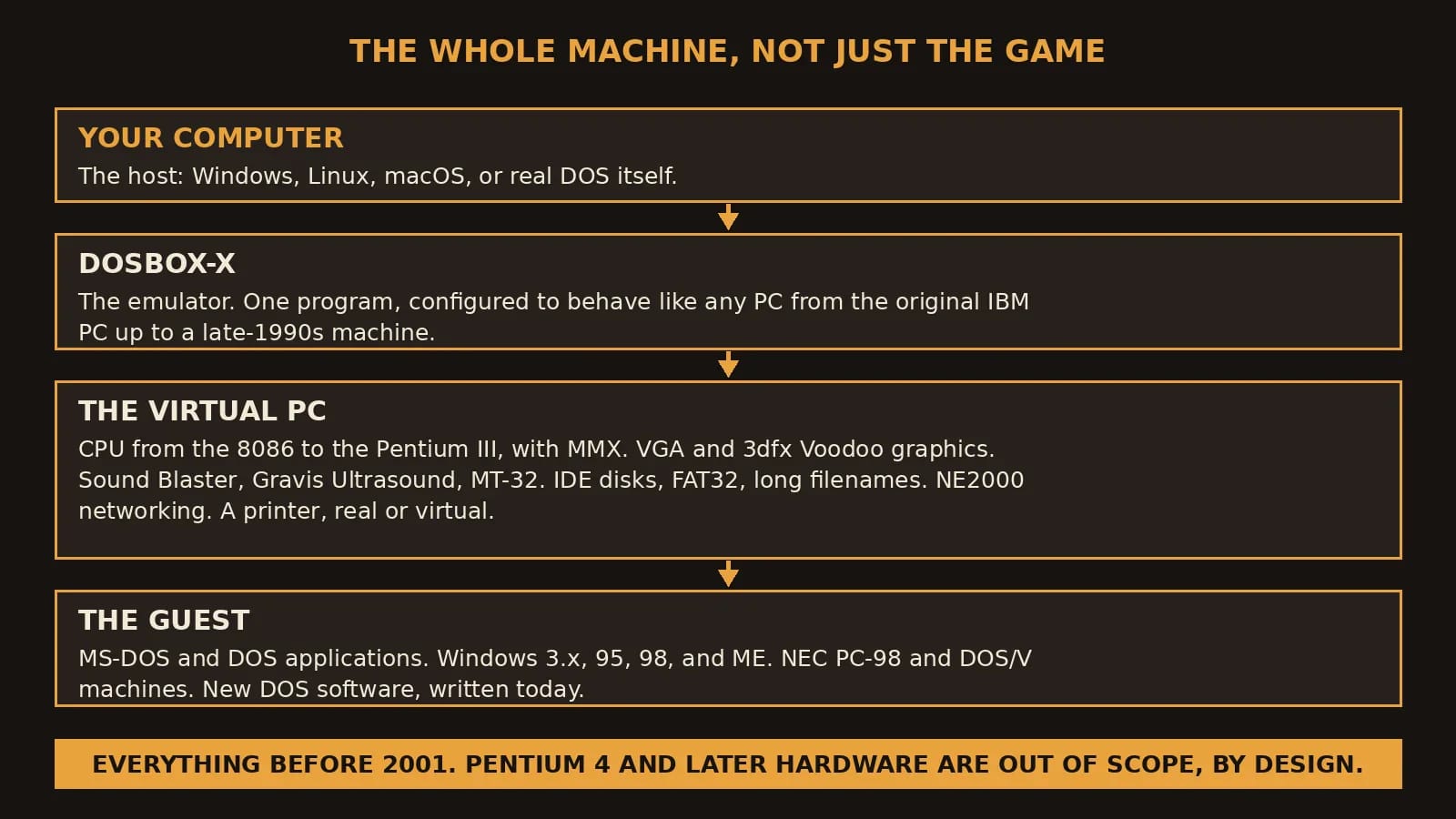
The virtual PC is the heart of it. The CPU range runs from the 8086 to the Pentium III, with MMX instructions. Graphics cover VGA and 3dfx Voodoo with Glide. Sound covers Sound Blaster, Gravis Ultrasound, the Roland MT-32, and FluidSynth with sound fonts. Storage is IDE interfaces with FAT32 disk images and long filenames, a DOS 7 feature the original DOSBox never had to care about. Networking is NE2000 Ethernet. Printing works to a real printer or a virtual one. Save states hold up to 100 slots. A graphical configuration tool and a drop-down menu replace the config-file spelunking that DOSBox users know, and the interface speaks 13 languages, from Japanese and Korean to Spanish and Turkish, with TrueType font output for text-mode programs and DOS/V support for Japanese software.
That breadth is what makes the homepage grid possible. Word for DOS needs the printer support and the text-mode fonts. Tomb Raider needs the 3dfx card. Windows 98 needs the IDE disks, the CPU range, and the long filenames. The PC-98 game needs a machine that is not an IBM PC at all. Each screenshot is a different subsystem doing its job.
Accuracy is the method
DOSBox-X is picky about accuracy in a way that shows in its testing. The project used to focus its accuracy work on demoscene software, especially anything before 1996, because that era of the MS-DOS scene tends to have all manner of weird hardware tricks, bugs, and speed-sensitive issues that make them the perfect kind of stuff to test emulation accuracy against, even more so than old DOS games. A game that runs is one data point. A demo that abuses the hardware is a hundred.
The README is equally blunt about what accuracy costs and where it stops. The floating-point unit is emulated with 64-bit doubles where real Intel hardware used 80-bit extended precision, a loss of 12 bits of precision that can break straightforward comparisons in DOS applications written in QBasic or Turbo Basic. The documented workaround is to disable FPU emulation and let the runtime use software emulation instead. It is a small, honest admission, the kind a project makes when it would rather be believed than admired.
The limits are stated as design decisions. Pentium 4 or higher CPU emulation is out: the code covers the 8086 through the Pentium III, and real DOS systems work best with those CPUs anyway. Hardware from 2001 or later is out: the official cutoff is the year Microsoft's PC 2001 specification mandated the removal of ISA slots from motherboards. Windows Vista and later are out, since those versions of Windows are not based on DOS. Cycle-accurate timing is out, and the README points readers who need it to PCem, 86Box, or VARCem instead. A project this clear about its boundaries is easier to trust about what it does.
Who still needs a DOS PC
Games are the obvious answer, and the least interesting one. The forks listed in the README show who else is still running DOS. DOSBox-X-App is a customized version for printing and creating PDFs from DOS applications. DOSBoxWP is built for users of WordPerfect for DOS. Win31DOSBox runs Windows 3.1 software on 64-bit Windows systems. Behind each fork are people with working software, written decades ago, that still does a job nothing newer does as well, and they need the machine it ran on.
The project also looks forward, in its own way. DOSBox-X hopes to aid in new DOS development, alongside DOSLIB, and it wants its emulation accurate enough that a program written today runs properly on actual DOS systems. And then there is the strangest detail on the platforms list: DOSBox-X runs on real DOS itself, through an HX-DOS package, so you can run the emulator inside the system it emulates. A machine that contains itself is a fitting image for a project whose goal is a machine that never dies.
That is also why the monthly releases matter. A preservation project that stops moving starts rotting: host operating systems change, compilers change, and the emulator has to keep up or the preserved machine stops booting. The October release added an AppImage and Debian packages, fixed the FPU handling Windows 95 needs to switch tasks, and kept adding sound cards. The machine stays current so the past stays runnable.
The honest limits
DOSBox-X ships no games, and no copy of Windows. The software is yours to supply, and for Windows 98 that means a licensed copy and an installation. Some programs need configuration settings changed from the defaults before they run smoothly, and the wiki is where those settings live.
The README also carries a security warning that is unusually direct for an emulator. DOSBox-X cannot claim to be a secure application, it says: much of its code is designed for performance, not security, and there is no guarantee of complete containment of the guest system. The advice is to not use it on a secure system, to not run it as root or Administrator, and to run it under a lesser privileged user, in a chroot jail or sandbox, or with its secure mode, which disables commands that may allow access to the host system. Old software is untrusted software, and the project says so.
How to start
Download it from dosbox-x.com or from the project's GitHub releases, for Windows, Linux, macOS, or DOS. Linux users get a Flatpak on Flathub or an RPM from Fedora Copr, and macOS builds cover Intel and ARM machines. Start with one program and expect to adjust the configuration: the wiki has guides for setting up DOSBox-X and for specific kinds of software, and the graphical configuration tool covers the common cases.
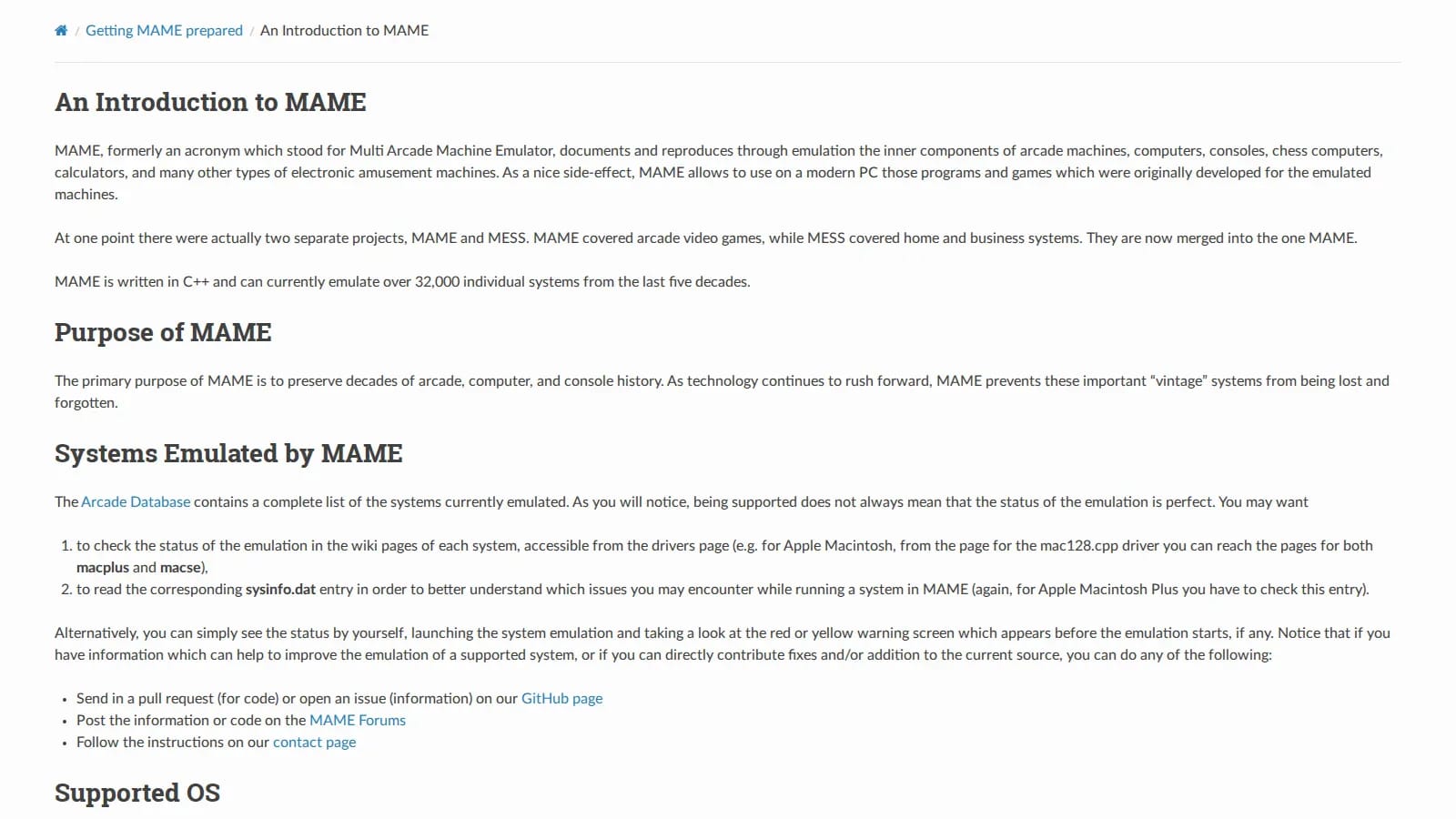
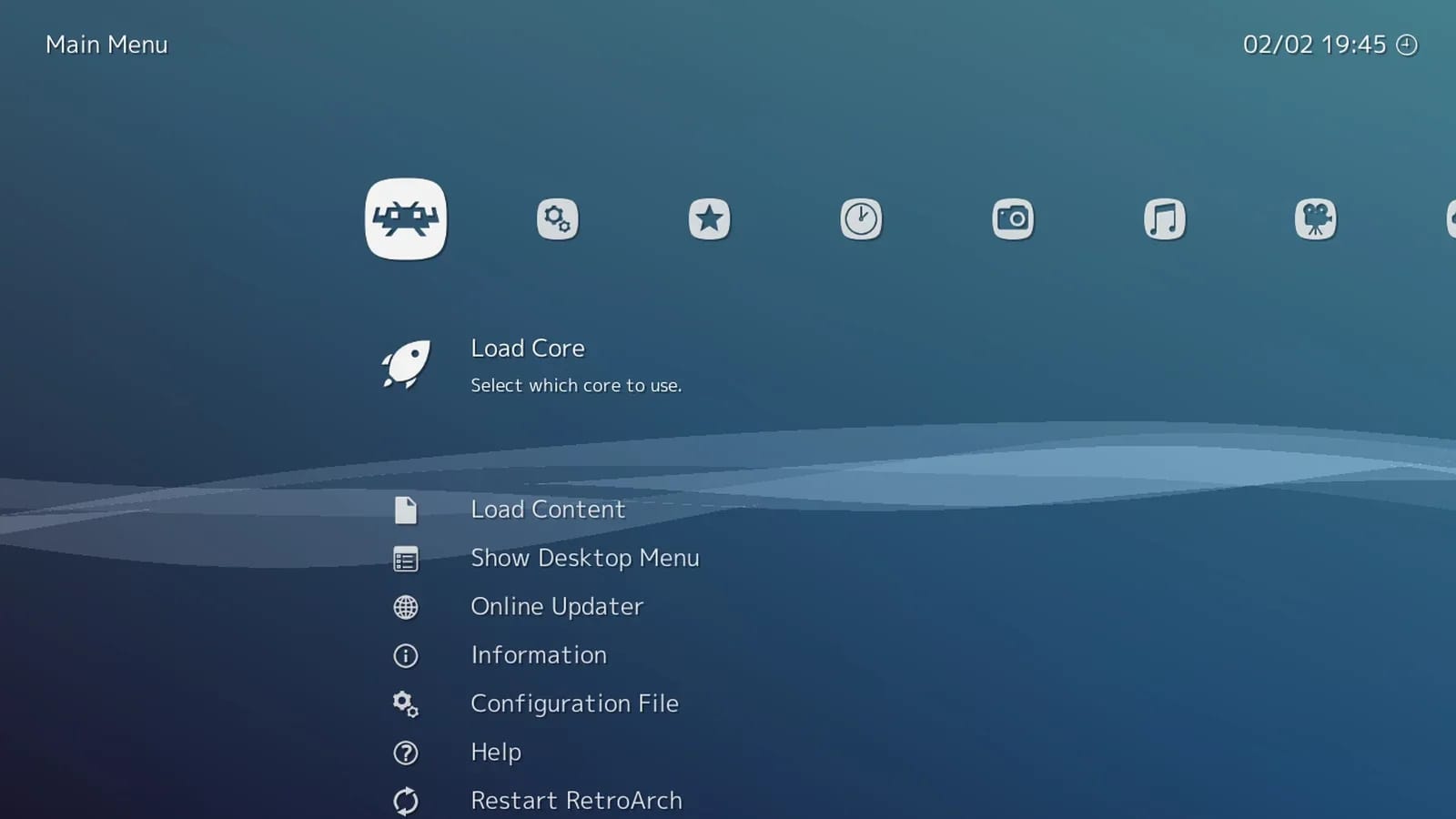
The MAME project documents vintage hardware as source code so the machines survive after their boards die. DOSBox-X takes the other half of the same job: it rebuilds the machine the software ran on, down to the printer and the sound card, and keeps it running. Where RetroArch turns dozens of emulators into plug-in cores for one frontend, DOSBox-X goes the other way, one emulator holding an entire PC inside it. Both approaches keep old software alive. This one keeps the room it lived in, too.
The machine DOSBox-X preserves ends in 2001, and that boundary is the project. It aims at one era's PC, completely, down to the printer and the sound card, and at keeping it running as long as anyone has software for it. 15 years in, the monthly releases say someone still does.